


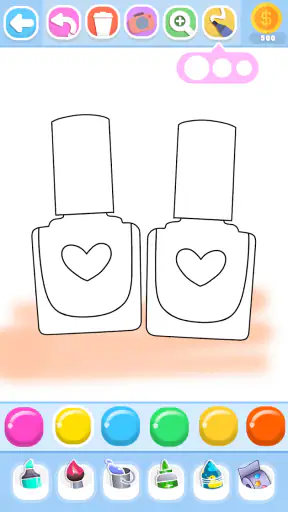
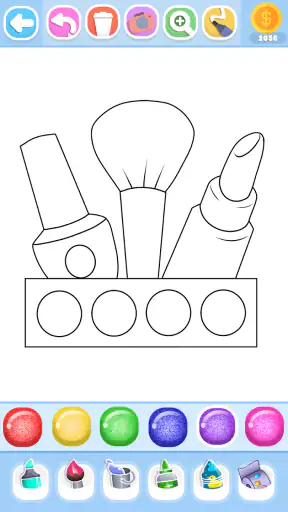
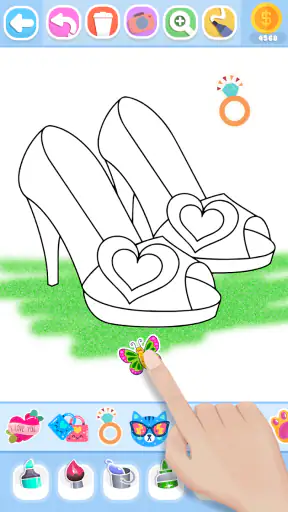

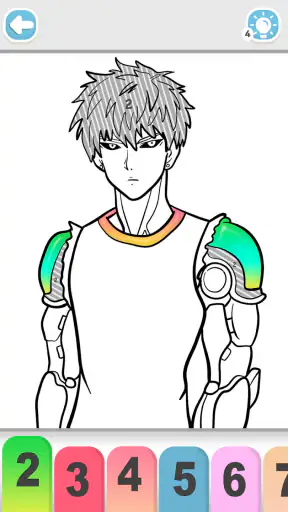
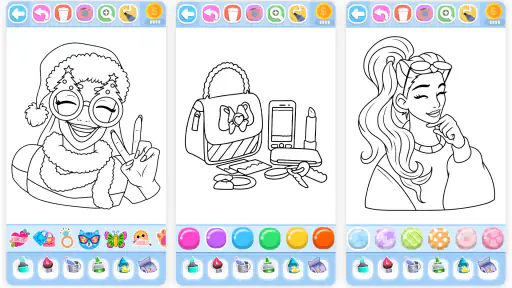
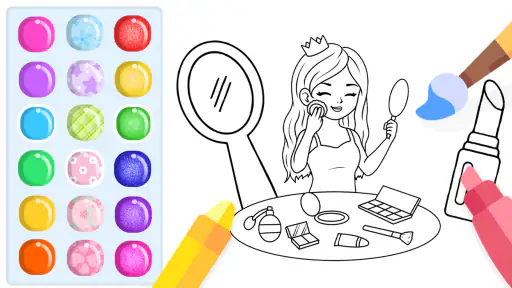
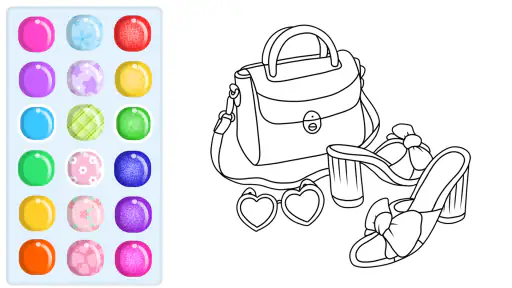
Glitter Beauty Coloring Pages is the kind of art and design app for children that works best when the goal is simple: choose a beauty-themed picture, add color and glitter, and enjoy a relaxed creative activity. I found its appeal less in advanced drawing tools and more in the immediate, low-pressure experience. A child can open it, understand the basic idea quickly, and start decorating without needing previous artistic skills.
The app is free to install, carries an Everyone age rating, and comes from FunKidStudio. Its focus is clearly younger users who enjoy makeup, fashion, and colorful picture-book activities. I would not approach it as a serious illustration studio. Instead, I see it as a casual coloring companion for short sessions, quiet time, or a child who wants to make something attractive without dealing with blank-page anxiety.
What the coloring experience feels like
The strongest part of this app is the ready-made artwork. Rather than asking a child to draw a face, cosmetic item, or beauty scene from scratch, it provides an outline to decorate. That small design choice matters: it removes the intimidating part of creating and lets the user concentrate on color choices, glitter effects, and personal style.
I especially like this format for children who lose interest in traditional coloring books because they want something that feels more connected to fashion or makeup. The beauty theme gives each page a clear identity. A child can decide whether a look should be soft, bright, dramatic, or deliberately unusual, and the result still feels finished because the underlying illustration provides structure.
At the same time, the theme narrows the audience. Children who prefer animals, vehicles, landscapes, or open-ended sketching may find the selection less engaging. Adults looking for detailed digital painting controls will also outgrow it quickly. The app succeeds by being approachable, not by offering the depth of a professional art tool.
Speed expectations on everyday devices
Because the experience centers on coloring prepared pages rather than building large original canvases, I would expect the basic interaction to feel relatively light on a compatible device. The current version is 39 and it requires Android 7.0 or later, so it is aimed at a broad range of Android hardware rather than only recent phones and tablets. That makes it more practical for families using an older spare device for children.
Still, perceived speed is not only about opening the app. Coloring can involve repeated taps, switching between shades, and applying decorative effects. On a modern device, those actions should be comfortable for the intended use. On older hardware, the moments most likely to feel less immediate are the transitions between pages or any effect that has to render glitter-like decoration. I would keep expectations realistic: this is a simple coloring app, but visual effects can still place more demand on a modest phone than plain flat colors.
A useful habit is to close unrelated apps before handing over an older device, especially if the phone is already short on free memory. That is not a special requirement of this title; it is simply a sensible way to keep a child-focused app feeling responsive. It also reduces the chance that a child interprets a delayed tap as a mistake and repeatedly presses the screen.
What happens during longer or heavier sessions
Short sessions are where I think the app makes the most sense. A child can complete part of a picture while waiting at an appointment, settle down after school, or spend a few minutes creating something before bedtime. The activity has a clear beginning and end, which is useful when you want a calmer alternative to a game built around constant levels, timers, or competition.
Heavier use changes the question. If a child moves quickly through many pages, repeatedly experiments with glitter, or keeps the app open for a long stretch, the device may have to handle more visual updates than it would during a single simple coloring task. I would not promise identical smoothness across every phone, because performance depends on the device, available storage, background activity, and operating-system condition.
For a smoother routine, I would let the child finish one design before jumping rapidly between several choices. This is also better creatively: saving attention for the current picture tends to produce more deliberate color combinations than tapping through pages in a hurry. If the phone becomes warm or starts responding slowly, taking a break is more sensible than treating the app as an unlimited drawing workstation.
The app can also be useful in a shared family setting. One child might choose colors while a parent or sibling suggests a contrasting shade, turning a solitary screen activity into a small creative conversation. That approach reduces frantic tapping and makes the app feel more like a coloring book than a passive distraction.
Stability and recovery after interruptions
Reliability matters more in a children’s app than many people realize. Young users are less patient with confusing screens, and they may not remember what they were doing if a phone call, notification, or accidental exit interrupts the session. My practical advice is to treat each coloring session as a self-contained activity rather than assuming every unfinished action will always be recoverable exactly as it appeared.
If the app is interrupted, reopening it and returning to the same picture should be the first step before repeating any taps. On a device with limited resources, restarting the app can also be a reasonable recovery move if the interface stops responding. I would avoid letting a child repeatedly press buttons during a pause, since that can make it harder to tell whether the app is processing an action or simply waiting.
Families should also remember that a free app with optional purchases deserves a little supervision. The listed in-app items range from $0.99 to $4.99 each. I would set expectations before handing over the device and explain which parts are available without spending money. That conversation is especially helpful for children who see decorative content and assume every visible option is automatically included.
The Everyone rating makes the app suitable for a broad age range in principle, but age suitability is still personal. A preschool child may need help with navigation and purchase boundaries, while an older child may want more advanced creative control than the app provides. The rating describes the general audience; it does not guarantee that every child will find the activity equally engaging.
Device limits, storage, and battery expectations
Since Android 7.0 is the minimum operating system, compatibility is not limited to new phones. That is a genuine advantage for parents who do not want to give a child their primary device. An older tablet can be a sensible home option, provided it still has enough free space and functions reliably in general.
I would be more cautious with very old or heavily cluttered hardware. Even a straightforward coloring app can feel unpleasant when touch input is inconsistent, the system is constantly clearing background memory, or the screen is too small for comfortable selection. A larger tablet is likely to be more suitable for younger children because it gives them more room to tap accurately and see the details of a beauty illustration.
Battery use should be manageable for ordinary coloring, but glitter effects and a bright display naturally make longer sessions more demanding than reading a static page. Lowering screen brightness slightly and avoiding unnecessary background apps can help during travel. I would not install it solely for a long journey without testing it first on the exact device the child will use; compatibility on paper does not tell you how pleasant the experience will feel on that particular screen.
Another practical point is touch control. Children often rest a palm on a tablet, tap quickly, or change their mind halfway through a selection. A case with a stable grip and a clean screen can make the experience less frustrating than changing settings inside the app. The best performance improvement may be physical: place the device on a table rather than asking a small child to hold it in the air.
How it compares with ordinary coloring alternatives
Compared with a paper coloring book, this app is more convenient when you want a mess-free activity and more playful visual decoration. There are no crayons to organize, and changing a color does not require starting over. That makes it useful during travel or in a room where spilled art supplies would be a problem.
Paper still wins in a few important ways. It never needs charging, does not compete with other notifications, and encourages a different kind of hand control. If your child enjoys the physical feel of crayons or wants to keep a permanent page on the refrigerator, a traditional book may be more satisfying. I see the digital version as a complement rather than a complete replacement.
Against general drawing apps, Glitter Beauty Coloring Pages is easier to start but less flexible. A blank canvas offers more freedom, layers, and room for experimentation, while this app gives children a guided path and a predictable result. That trade-off is worthwhile for beginners who become discouraged by empty screens. It is not worthwhile for a child who already wants to design original characters, mix complex brush textures, or control every line.
It also differs from competitive games because the reward is the finished image rather than a score or victory. That can make it a calmer choice, although children who need constant challenge may lose interest after the novelty of the theme fades. I would choose it for creative downtime, not as a substitute for a full art curriculum.
Who will get the most from it
I would recommend this app to parents looking for a simple beauty-themed activity for a child who likes makeup, fashion, and bright decoration. It is also a good fit for a beginner who wants immediate guidance instead of learning drawing fundamentals first. The low entry barrier means a child can experiment with style without worrying about whether the proportions of a face or cosmetic object are correct.
It can work well in several everyday situations:
During a short wait, when a child needs a quiet activity that can be stopped without losing an entire game round.
At home after school, as a screen activity with a visible creative result rather than endless scrolling.
During a family coloring session, where adults and children can discuss color combinations and compare different interpretations of the same beauty theme.
On an older Android tablet, when a parent wants a focused creative app without handing over a more powerful personal phone.
The app is less suitable for children who need educational drawing instruction, detailed anatomy practice, or a broad range of subjects. I would also skip it for anyone who dislikes optional purchases appearing alongside free content. The price is free to start, but the presence of paid items means parents should manage expectations rather than assume the entire experience is unlocked without spending.
Small habits that improve the experience
My first tip is to encourage color planning before tapping. Asking a child to choose a main color, an accent, and one glitter highlight turns a quick coloring task into a simple design exercise. It also prevents the common problem of covering every available area with the brightest effect until the picture loses contrast.
My second tip is to use the app as a conversation starter rather than leaving it entirely unattended. Ask why a particular shade was chosen or what kind of makeup look the picture represents. This makes the activity more personal and helps a child notice balance, contrast, and visual details without turning the session into a lesson.
My third tip concerns device sharing. Create a clear routine around when the app can be used, keep the device comfortably supported, and explain that paid options require permission. This is more effective than waiting for an accidental purchase prompt to become a conflict. Since individual items cost between $0.99 and $4.99, a simple rule is easy for a child to understand.
Finally, if a page feels repetitive, change the purpose of the session. Instead of trying to complete as many pictures as possible, ask the child to make two versions of one look: one soft and one bold. That adds variety without needing advanced tools, and it makes the fixed outlines feel more flexible.
Value, audience, and overall performance
FunKidStudio’s app has reached more than five million installs and holds a 3.9 average from around five thousand ratings, which suggests that it has found a substantial audience while still leaving room for mixed experiences. I would read that combination as a reason to keep expectations balanced: the concept is accessible, but it will not satisfy every child or every device setup.
It was released on September 26, 2019, and the current version is 39. Those details make it feel like an established app rather than a brand-new experiment. The important question for me is not whether it has the newest visual technology, but whether the simple coloring loop remains pleasant on the device available at home. For a child who enjoys this theme, the answer can be yes even without professional-grade tools.
In performance terms, I would place it in the light-to-moderate range for casual use, with the main pressure points likely to be visual effects, rapid page changes, older hardware, and long uninterrupted sessions. I would not choose it for demanding creative work, nor would I rely on it as the only activity during a full day away from a charger. Used in shorter bursts on a reasonably maintained Android device, it should make more sense.
My final recommendation is conditional but positive: download it if you want guided, glitter-focused beauty coloring for a child and you are comfortable supervising optional purchases. It is approachable, easy to explain, and more purposeful than many quick distractions. Choose paper coloring for a screen-free experience, or a full drawing app for freedom and skill-building. For the specific middle ground of simple digital beauty art, Glitter Beauty Coloring Pages remains a practical choice, especially when the device and the child’s expectations match what it is designed to do.


